
Interested in cashless payments in Japan? The PayPay app supports QR-code purchases, transfers between users, and selected bills.
Registration requires a Japanese mobile number and compatible smartphone. This guide covers requirements, registration, funding methods, benefits, common issues, security, and alternatives.
What Is PayPay and Why Might You Want It?
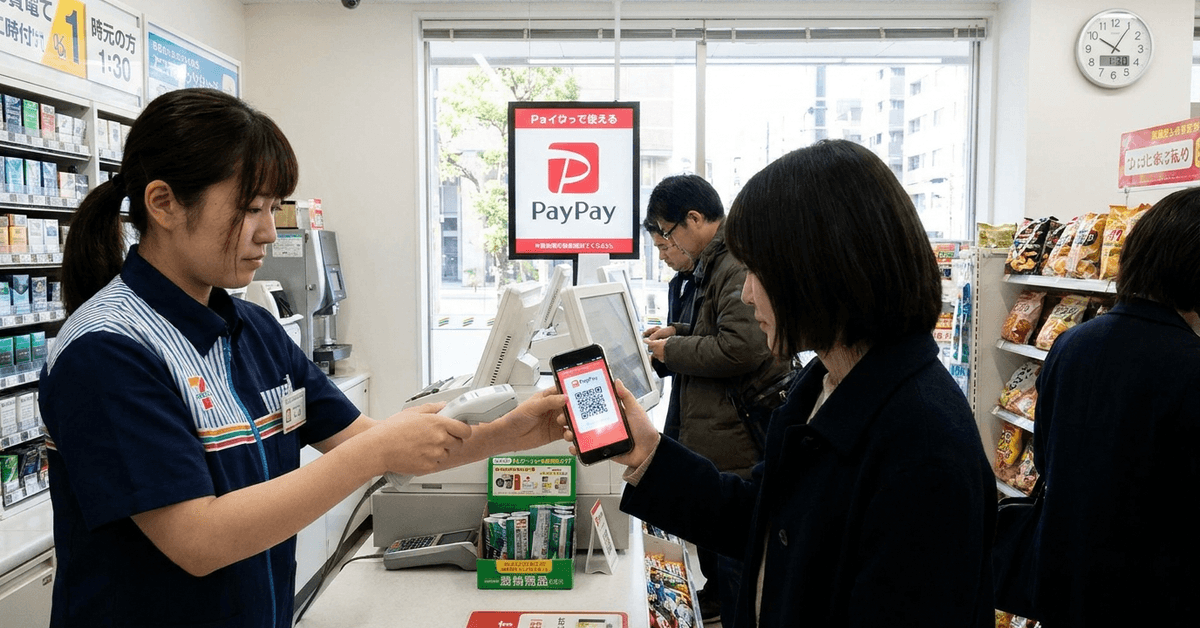
PayPay is a mobile wallet accepted by participating merchants across Japan, including restaurants. Users can pay with supported balances, earn eligible reward points, and transfer funds under service rules.
Who Can Apply for PayPay in Japan?
Eligible users need a Japanese number that can receive SMS verification messages. Overseas numbers are ineligible, and certain banking and withdrawal features require additional verification or account access.
Key Requirements for PayPay Application
Check device compatibility and SMS access before downloading the mobile application. Other requirements depend on whether you need payments, transfers, or banking functions.
Compatible Smartphone
PayPay currently recommends Android 9 or newer, or iOS 16 or newer. Your phone needs SMS, mobile data or Wi-Fi connectivity. Older systems might lack important security updates and newly released features.
Japanese Mobile Number
A domestic number is required to create and maintain an account. Overseas numbers are not accepted for initial account registration. Ensure your mobile plan supports receiving verification messages before downloading.
Email Address
Email helps with account communications, account notices, and certain recovery options. Initial registration primarily verifies your phone number. Add an address you control and confirm it in account settings.
Local Banking Option (for funding and higher limits)
A supported Japanese bank account enables wallet funding after identity verification is complete. Cash deposits at participating Seven Bank or Lawson Bank ATMs require no account with either bank.

Third-party credit cards cannot recharge balances; check the available funding and payment options.
How Does the PayPay Application Process Work?
To apply for PayPay Japan services, register through the official app using your domestic number. The PayPay app Japan application process includes identity checks for certain advanced account features.
Download the App
Download PayPay from its official page or verified Apple and Google app stores. Verify the listed publisher and current device requirements. Avoid unofficial downloads and advertisements promising paid registration assistance.
Begin Account Registration
Open the app and select a registration method. Verify your number, then choose a password or supported Apple or Google account connection. Never share SMS verification codes with anyone claiming to represent support.
Verify Identity (KYC)
Certain payment and banking services require identity verification after basic signup. Accepted documents include My Number cards, Japanese driving licences, and appropriate residence cards. Foreign residents must ensure identification details match their registered account information.
Add Email and Set Up PIN
Add an email address for important notices and convenient account management. Set a unique PIN if requested, and enable supported biometric authentication. Available security options vary by device, registration method, and app version.
Link Bank Account or Load Balance
After verification, link a supported bank account for direct wallet recharges. Alternatively, recharge with cash at Seven Bank or Lawson Bank ATMs. Check balance categories before bill payments, bank withdrawals, or transfers to friends.
Benefits of Using PayPay in Japan
This Japanese cashless app provides everyday convenience at participating merchants and online checkouts. Available functions, spending limits, and rewards depend on account status and service rules.
Widespread Acceptance
PayPay works at participating merchants, including national chains and independent local businesses. Check the PayPay logo and accepted payment methods. Carry a backup payment option because acceptance is not universal.
Cashback and Discount Campaigns
Selected campaigns offer PayPay points or discount coupons for qualifying purchases. Offers may have merchant, spending-cap, eligibility, and date restrictions. Check campaign conditions before expecting the advertised maximum reward rate.
Peer-to-Peer Payments
Users can send eligible balances between registered accounts, subject to applicable limits. Verify recipients and amounts before splitting restaurant bills or reimbursing friends. Mistaken transfers can be difficult to recover without the recipient's cooperation.
Utility Bill Payments
Selected utility and municipal bills accept barcode payments through PayPay. Some tax payments require verified PayPay Money rather than other balances. Check each bill's instructions and retain the payment confirmation records.
Common Issues and How to Address Them
Common problems may involve phone verification, funding restrictions, or identity mismatches. Use official in-app support rather than unverified online workarounds.
Foreign Bank and Card Registration Limits
Overseas cards are not a reliable funding option. Only eligible PayPay cards permit credit-card recharges to wallet balances. Supported ATM cash top-ups work without opening local bank accounts.
App Language Settings
The app supports Japanese and English on compatible devices, though screens may differ. Review unfamiliar screens carefully before confirming transfers. Do not rely solely on inaccurate translations for sensitive financial details.
Verification Delays
Identity verification may take several days depending on the review method. Check status notices and the accuracy of submitted documents. Official support resources explain what to do with pending applications.
Tips for Safer and More Effective PayPay Usage
To use PayPay in Japan safely, secure account credentials and regularly review transactions. These practical steps reduce payment mistakes and unauthorized account access.
Confirm the recipient's name before sending balances or splitting bills.
- Enable device authentication when supported and never share verification codes.
- Keep the app updated through official stores for security and feature improvements.
- Check recharge limits and balance categories before paying taxes or transferring money.
- Report a lost phone immediately and secure your PayPay and mobile accounts.
Alternatives to PayPay
Other cashless services currently include Rakuten Pay and au PAY, with different rewards and merchants. LINE Pay ended in Japan in April 2025 and is no longer an alternative.
Legal, Tax, and Privacy Considerations
Mobile transactions involve financial information and applicable Japanese privacy protections. Review privacy terms, transaction records, and granted application permissions.
Data Security and Usage
Use official login channels and protect your smartphone from unauthorized access. Review PayPay's published privacy terms to understand personal data handling. Avoid exposing payment codes, account numbers, or personal details in screenshots.
Tax Implications
Ordinary purchases do not create additional income merely because PayPay processes them. Business receipts, freelance payments, and certain transfers may have tax implications. Keep complete business records and consult Japanese tax guidance.
Service Terms and Updates
PayPay periodically updates campaign conditions, supported features, and service limits. Review official notices before redeeming points or linking financial accounts. Keep registered contact and identity information current.
Conclusion
PayPay supports everyday payments for people with an eligible Japanese number. Some features need identity verification or access to specific funding methods.
Check payment limits, account security, and merchant acceptance before paying. Compare other local alternatives to choose a wallet that fits your needs.